Skip to content

Installation services

Cabling, WiFi, CCTV and door access — installed across Melbourne as one system.

Melbourne WiFi provide installation services for networking, cameras, door access and many home automation hardware. We don't just install cameras or set up WiFi — we engineer secure, scalable, manageable environments on Ubiquiti UniFi.

  • Technician-led: you deal with the person who designs and installs it
  • After-hours and staged works so the site keeps running
  • As-built documentation, labelled racks, credentials in your name
  • Melbourne-based support with optional service agreements
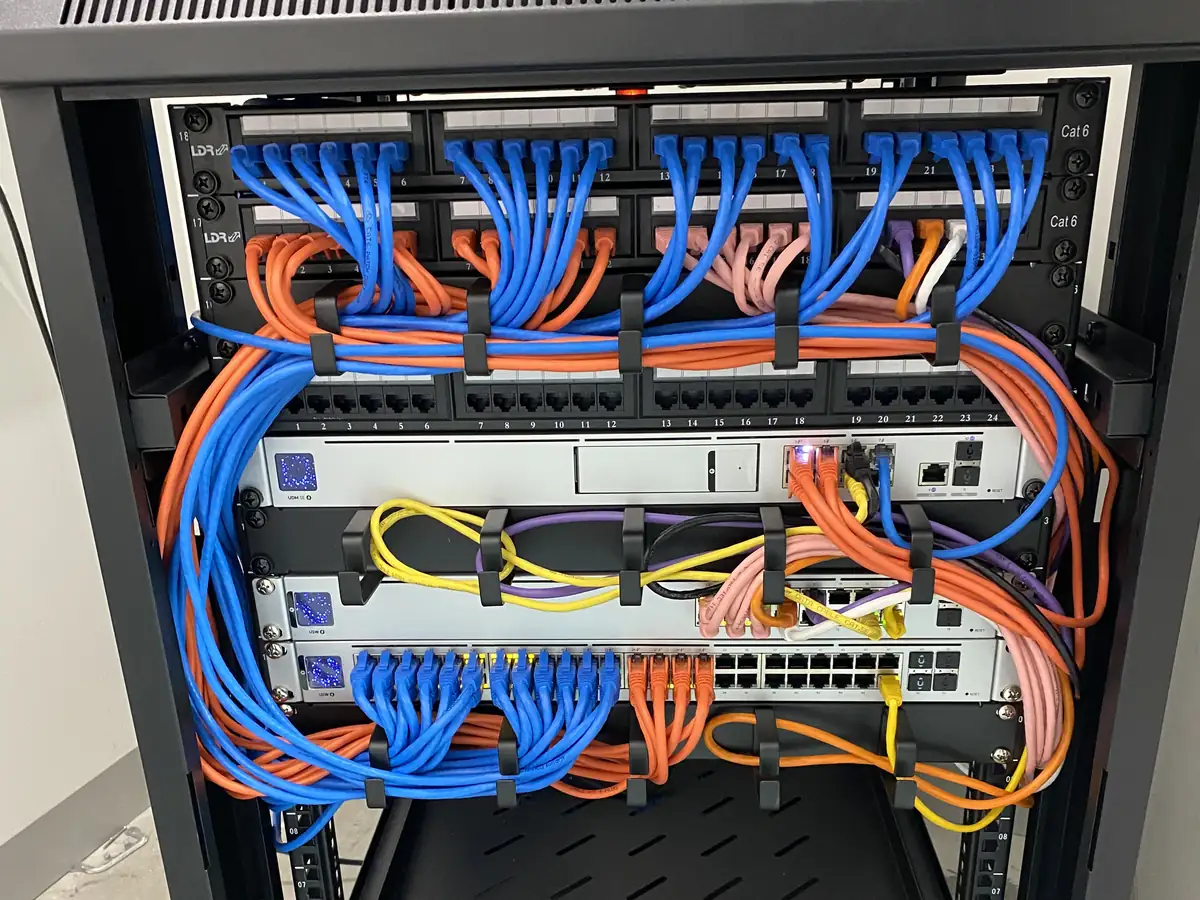
Wall-mounted rack with colour-coded Cat6 patching, labelled panels and a UniFi switch

What we do

Three disciplines, one contractor.

Most sites need all three, and they only work properly when the same team plans the cable routes, the camera angles and the door hardware together.

01

Network cabling

Professionally installed cabling is a must for both aesthetics as well as performance and adaptability.

Every access point, camera, reader and phone runs back to a central patch panel on Cat6 or Cat6A. We handle conduit, cable trays, penetrations and terminations, mount and dress the rack, then test and label every run. For new builds and fit-outs we work with your builder to rough-in before walls are closed; in existing buildings we run through roof spaces, risers and wall cavities to keep the finish clean.

  • Cat6, Cat6A and fibre backbone links
  • Racks, patch panels, cable trays and conduit
  • Every port tested, labelled and documented
  • PoE switching sized to the load, not guessed
02

Surveillance installation

Security camera installation requires attention to detail. We offer a wide range of solutions from basic home systems to large-scale commercial or industrial solutions.

We design camera positions against a coverage plan rather than mounting where it's convenient — entries, car parks, docks, lifts, mailrooms and perimeters. UniFi Protect cameras run over the same PoE network as everything else, so there's no separate DVR, no coax and no second app. Footage is recorded locally on an NVR with retention set to suit the site, and viewing is role-based so the right people see the right cameras.

  • AI turret, bullet and dome cameras with strong low-light performance
  • Local NVR recording — no subscription for basic recording or app access
  • Retention configured to the site's policy
  • NDAA-compliant hardware available for sensitive sites
03

Access control

Entry security ranging from smart doorbells and locks for home to commercial door access with integrated cloud or localised control systems.

Keys get lost, copied and never handed back. We replace them with fobs, cards, PINs or mobile credentials on UniFi Access or Hikvision hardware, so a credential is issued or revoked in seconds and every entry is logged with a timestamp. We integrate readers with intercoms, lift controllers, roller doors and custom door hardware, and we make sure the fail-safe and fail-secure behaviour matches what the building actually needs.

  • Door controllers, readers and electric strikes or mag locks
  • Fob, card, PIN and mobile credentials with full audit trail
  • Video intercoms with mobile answering, including 2-wire retrofits
  • Lift and gate integration for multi-tenant buildings

Platforms

UniFi first. Not UniFi only.

Ubiquiti UniFi is our default and the majority of what we install. But the building decides. Where existing cabling, an existing camera fleet or a specific requirement rules UniFi out, we specify and install the hardware that actually fits — rather than forcing a platform onto a site that won't take it.

Ubiquiti UniFi

Default

Network, WiFi, Protect cameras and Access door control on one platform, managed from one interface, with no subscription for basic recording or app access. This is what we lead with, and what most sites get.

Hikvision

CCTV, alarms and two-wire video intercom. The practical choice when a building's existing riser cabling rules out an IP retrofit, or when an existing camera fleet is too recent to justify replacing.

TP-Link Omada

Managed access points and switching, typically where a site is already standardised on Omada or has existing Omada hardware worth keeping rather than replacing.

Teltonika

Industrial 4G and 5G routers for failover and remote sites — the difference between EFTPOS staying up and losing a trading day when the primary line drops.

Yealink

Desk phones, handsets and headsets running on the network already in the building, on their own VLAN with QoS so a call doesn't degrade behind a large upload.

APC

Rack and desktop UPS. The gear that carries the switch, the gateway and the recorder through a brownout instead of bringing them back with a corrupted array.

Whatever goes in is specified against the site and quoted with the installation — browsethe full product range.

How we work

Six steps, every job.

The same sequence whether it's a four-camera café or a 250-lot apartment block. Nothing gets installed before it's been designed.

  1. Step 01

    Assessment

    A site visit with a WiFi analyser: coverage mapped, interference sources found, construction materials assessed and existing cabling checked for reuse.

  2. Step 02

    Design

    Access point locations, camera and door schedules, switch capacity, VLAN structure and cabling routes — documented and handed to you before any work begins.

  3. Step 03

    Cabling

    Cat6 or Cat6A back to a central patch panel, terminated and tested, with the switch mounted in a wall cabinet or rack. Everything labelled as it goes in.

  4. Step 04

    Install

    Hardware mounted where the design says it goes. Scissor lifts and EWPs for high ceilings — our team holds current White Cards and carries SWMS documentation.

  5. Step 05

    Configure

    SSIDs secured with WPA3 or WPA2, VLANs tagged across the switch, roaming thresholds tuned, cameras added to Protect, readers enrolled, then a full throughput and roaming test.

  6. Step 06

    Handover

    A walk-through of the dashboard, admin credentials in your name, and as-built documentation covering cable routes, device locations and VLAN structure.

FAQs

Questions we get before the first site visit.

Do you supply the hardware or just install it?
Both. We supply, configure and install the gear as one job, which means one point of responsibility if something needs to be swapped or reworked. You can also browse the range we install and send us a list through the Network Builder.
Do we have to be on UniFi?
UniFi is what we engineer on by default — one platform for network, cameras and door access, managed from a single console with no subscription for basic recording or management. Where a building's existing wiring or compliance requirements call for something else, such as a Hikvision 2-wire intercom retrofit, we'll design around that instead.
Can you work around our operating hours?
Yes. After-hours, weekend and staged works are standard for offices, venues, warehouses and occupied buildings. We coordinate with your site manager and schedule cable runs and installs around trading or production hours.
What documentation do we get at the end?
As-built drawings showing cable routes, device locations and VLAN structure, labelled ports and racks, admin credentials in your name, and a walk-through of the dashboard. If we vanished tomorrow you would still understand your network. There's more detail in what to expect from a UniFi installation.
Which parts of Melbourne do you cover?
Servicing metropolitan Melbourne, the Mornington Peninsula, Geelong and regional Victoria. We're a service-area business — we come to you for the site assessment and the install.

From the work

What the work looks like

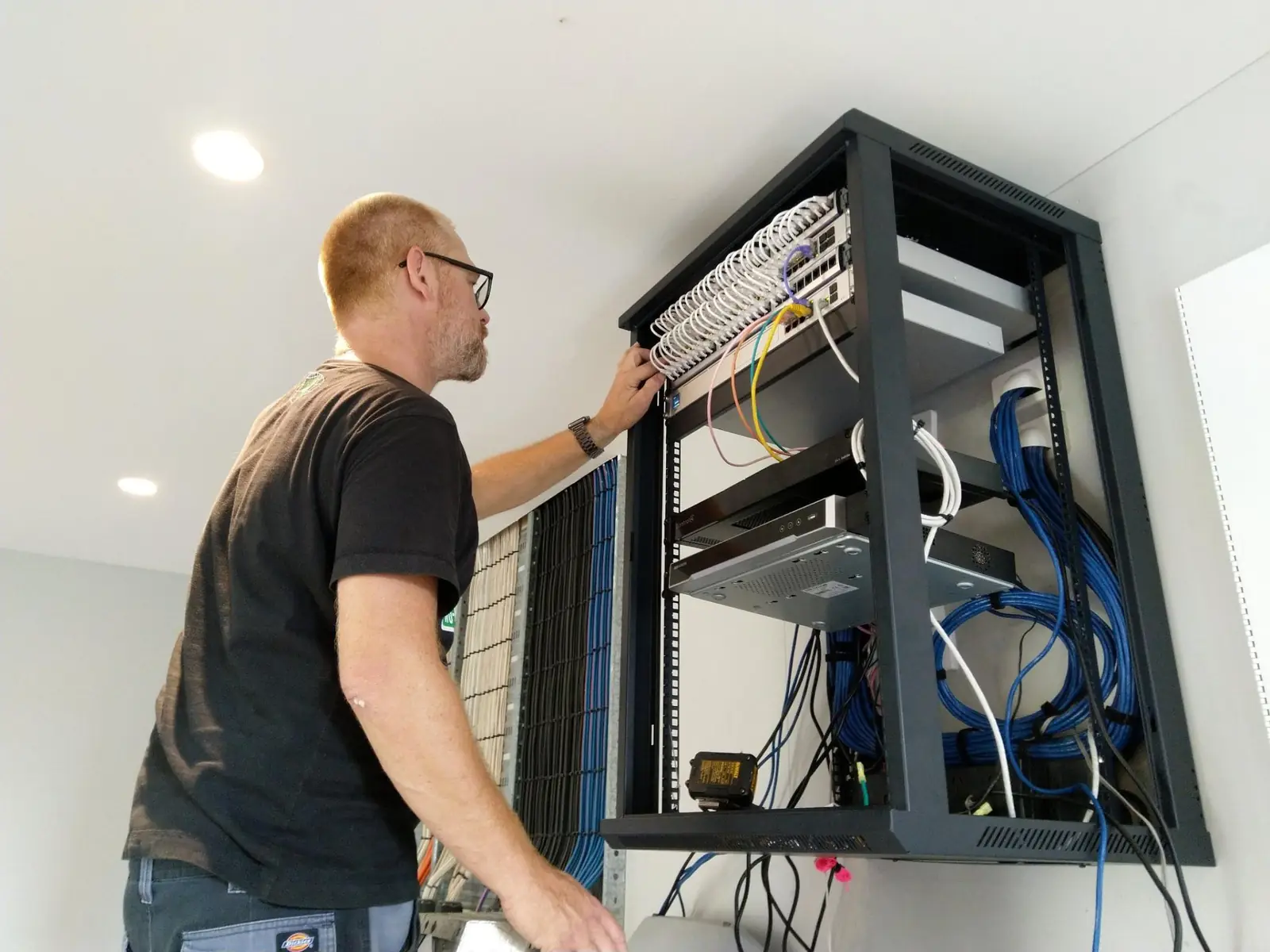
Technician working inside an open wall-mounted rack, dressing cables into a patch panel
The person who scoped the job is the person on the ladder.
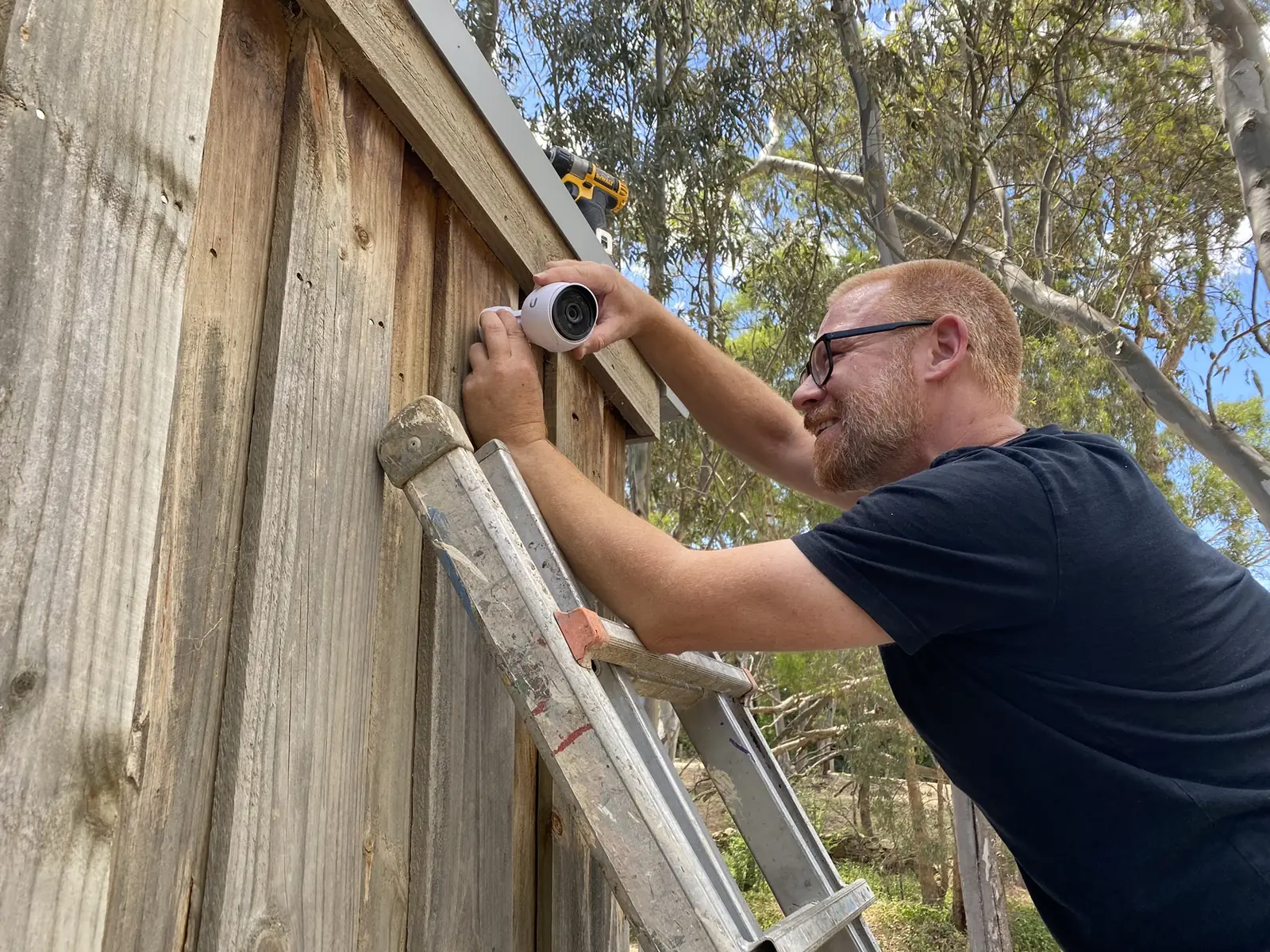
Technician on a ladder fixing a camera bracket to a timber fence
Camera positions set on site, where the sight lines are — not on a floor plan.
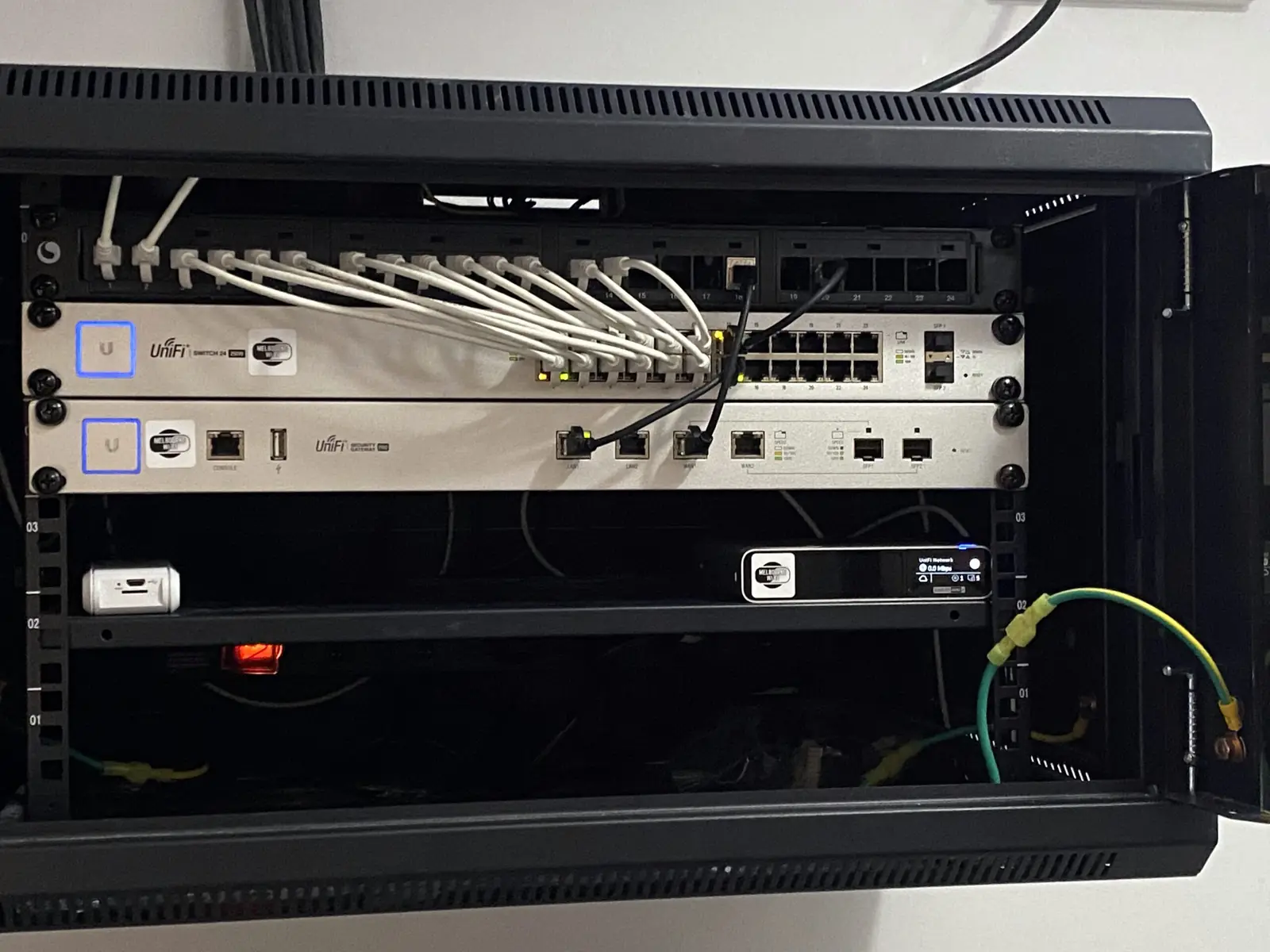
Two rack-mounted UniFi switches with patched Ethernet cables and lit port indicators
Switching sized for the cameras, readers and access points it has to carry.

Request a quote

Tell us what you need, we'll price it properly.

No cart, no guesswork. Send us the site details or a rough idea and we'll come back with a fixed quote for the gear and the install.