Skip to content

Planning tools

Plan the UniFi network before anyone quotes it.

Two tools we built for our own designs, left open for everyone else.

Both are free and need no sign-up. Your design stays in your browser — nothing is stored on our servers unless you send it to us for a quote.

Power budget

UniFi PoE Designer

Pick a UniFi switch, drop in the cameras, access points, readers and phones you plan to run, and watch the PoE budget and port count in real time. It flags the two mistakes that cause most site revisits: running out of watts, and running out of ports.

  • 17 UniFi PoE switches with real budgets and per-port classes
  • 71 UniFi devices with typical draw and PoE class
  • Custom devices, per-item overrides and saved designs
  • Copyable summary, or send the design straight to us
Kit builder

Network Builder

Build the shape of a system before you talk to anyone. Start from one of three kits or work through the categories, adjust quantities, and send the whole configuration to us. No cart, no prices, no pressure — just a clear brief to quote against.

  • 83 products across 9 categories
  • Three starter kits for apartments, family homes and large builds
  • Live topology strip so you can sanity-check the shape
  • Sends your configuration into our quote form

How they fit together

Numbers first, kit second, quote last.

Most jobs start with a power and port question, then turn into a hardware list, then turn into a quote. These two tools cover the first two steps so the conversation with us starts from something concrete.

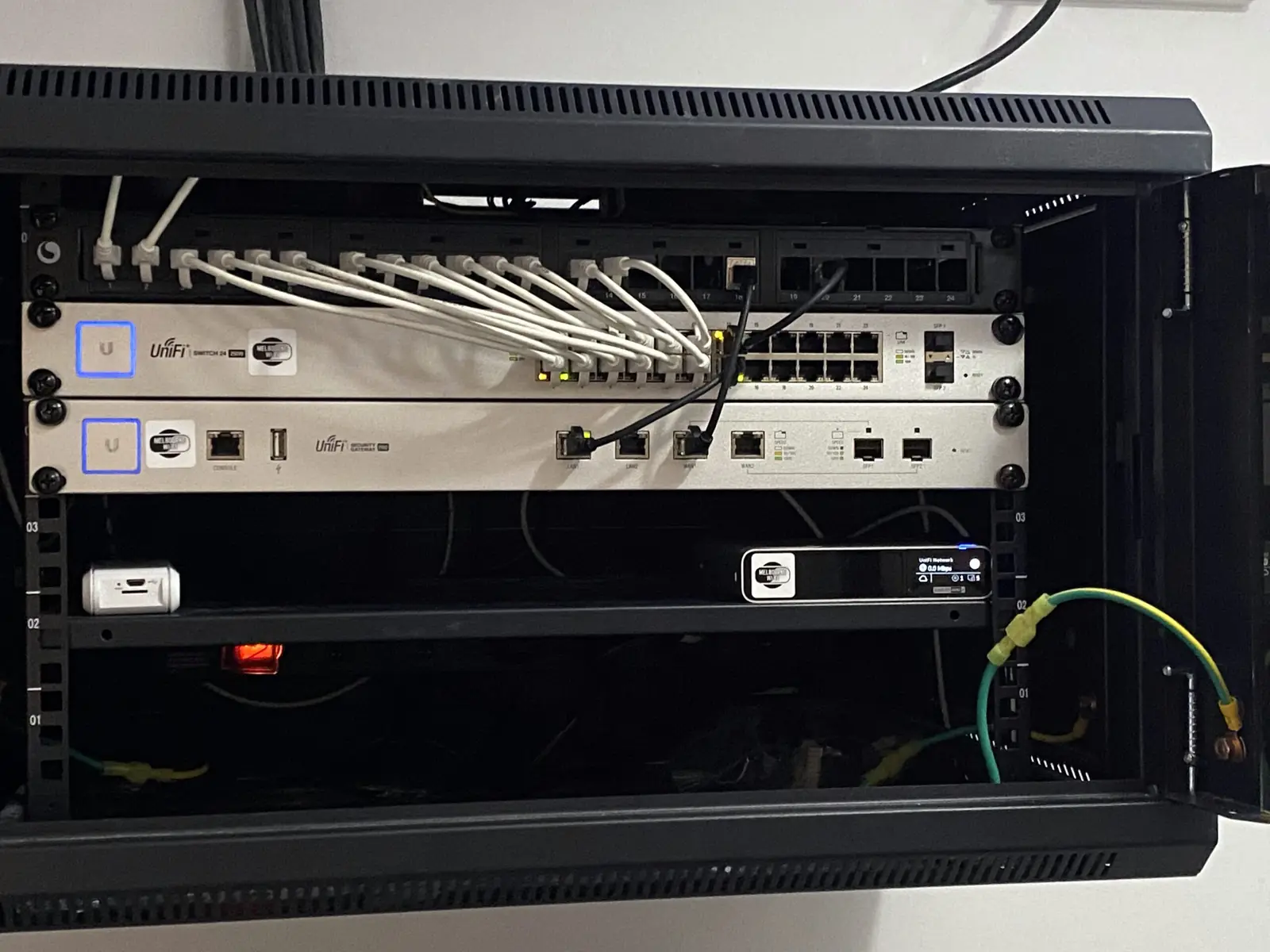
Two rack-mounted UniFi switches with patched Ethernet cables and lit port indicators
The reason the PoE Designer exists: every port on these switches had to be budgeted before anything was ordered.

Step one

Size the switch

Use the PoE Designer to check that the switch you had in mind can actually power what you want to hang off it — with headroom left for the camera you'll add next year.

Step two

Build the kit

Use the Network Builder to assemble the gateway, switching, APs, cameras and access hardware into one list you can review, adjust and share internally.

Step three

Send it to us

Both tools push the result into our quote form. We price the hardware and the installation together, so you get one number rather than a shopping list and a surprise.

Request a quote

Tell us what you need, we'll price it properly.

No cart, no guesswork. Send us the site details or a rough idea and we'll come back with a fixed quote for the gear and the install.